How to get started with business process mapping in 2026
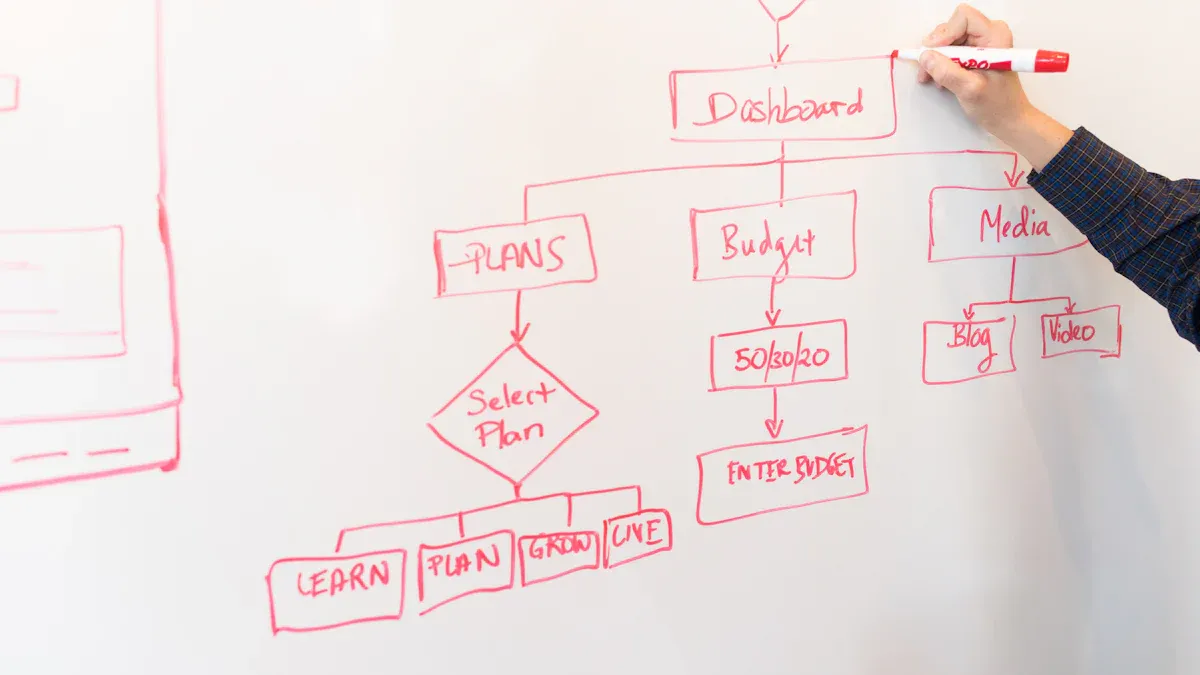
A business can begin business process mapping by gathering a team and outlining each step of how they serve clients and customers. Many organizations face challenges such as employee anxiety, complex workflows, and resistance to change. Some teams struggle with different interpretations of the same process or must meet strict regulatory requirements. Clear communication and the right resources help people at any experience level map processes and improve how they deliver value.
Key Takeaways
Start business process mapping by gathering a team to outline each step of how you serve clients.
Use process maps to visualize workflows and identify inefficiencies, leading to improved efficiency.
Involve all stakeholders in the mapping process to ensure accurate and effective maps.
Choose the right type of process map based on your goals, such as flowcharts for simple tasks or swimlane diagrams for complex workflows.
Keep process maps simple and clear to enhance understanding and prevent confusion.
Regularly review and update process maps to keep them relevant and useful as business needs change.
Utilize cloud-based and AI-powered tools to streamline the mapping process and improve collaboration.
Set clear goals for your mapping efforts to focus on what matters most and measure progress effectively.
Business Process Mapping Basics
What is process mapping?
Process mapping shows how a business completes tasks and delivers value. It creates a visual representation of each step in a workflow. Teams use process maps to understand how work moves from start to finish. In 2026, business process mapping includes several key components:
Clear understanding of organizational goals and values
Involvement of all stakeholders
Proper documentation
Regular reviews and updates
A process map usually displays boundaries, tasks, activities, roles, responsibilities, decision points, inputs, and outputs. These elements help teams see the big picture and identify areas for improvement.
Why map business processes?
Business process mapping helps organizations visualize workflows and spot inefficiencies. Teams can see where bottlenecks or unnecessary steps slow progress. The following table highlights the main benefits for organizations in 2026:
Benefit | Description |
|---|---|
Improved efficiency | Identifies bottlenecks and unnecessary steps, leading to efficiency gains. |
Enhanced communication | Provides a clear view of workflows for all team members, improving understanding and collaboration. |
Better quality control | Decreases waste and highlights potential roadblocks, improving time to market. |
Informed decision-making | Helps stakeholders anticipate roadblocks and make informed decisions based on visual representations. |
Easier training and onboarding | Serves as a training tool for new members, helping them understand their roles and the workflow. |
Teams use business process mapping to improve communication and collaboration. It also supports quality control and helps new employees learn their roles quickly. Regular reviews and updates keep the process maps relevant and useful.
Common misconceptions
Many business leaders misunderstand business process mapping. Some believe that mapping alone solves all business problems. Others think that ERP implementations will instantly fix workflow issues. There is a myth that business process modeling takes too long or cannot document complex processes. Some leaders assume that business process mapping is only about drawing diagrams, but it also involves analysis, optimization, and continuous monitoring.
BPM is not just process mapping; it includes ongoing improvement.
ERP systems do not automatically resolve process challenges.
Complex processes can be documented and improved with the right approach.
Process mapping is not a one-time task; it requires regular updates.
Note: Teams should involve all stakeholders and review process maps often to avoid these misconceptions.
Types of Process Maps
Flowcharts
Flowcharts give teams a simple way to see how a process works from start to finish. Each step appears as a box or symbol, and arrows show the order of actions. Flowcharts help people understand tasks that follow a clear, straight path. They also show where decisions happen. Many organizations use flowcharts for training, troubleshooting, and improving basic workflows.
Tip: Flowcharts work best for simple, sequential processes. Teams can use them to spot unnecessary steps or find where mistakes happen.
Some popular tools for creating flowcharts in 2026 include IdeaBoard and other general-purpose diagramming platforms. These tools let users drag and drop shapes to build clear maps of their processes.
Swimlane diagrams
Swimlane diagrams organize process steps by roles or departments. Each "lane" stands for a person, team, or system. The diagram shows how tasks move between lanes. This makes it easy to see who does what and when. Swimlane diagrams help teams understand cross-functional processes and spot handoff problems.
Swimlane diagrams are useful for:
Mapping processes that involve many people or groups
Showing how work passes from one team to another
Finding delays or confusion at handoff points
Swimlane diagrams support collaboration. They help managers and team members see their responsibilities and improve teamwork.
Value stream maps
Value stream maps focus on the flow of materials and information. They show every step needed to deliver a product or service. Teams use value stream maps to find waste and make processes leaner. These maps highlight where time, effort, or resources are lost.
Value stream mapping tools, such as Pipefy and ClickUp, help organizations visualize and improve their workflows. Value stream maps are common in manufacturing, logistics, and service industries. They help teams reduce delays and increase value for customers.
Description | Examples | |
|---|---|---|
Flowchart Tools | Map simple, linear processes and show steps and decisions. | IdeaBoard |
Value Stream Mapping | Map the flow of materials and information, focusing on waste reduction. | Pipefy, ClickUp |
Swimlane Diagrams | Show cross-functional processes and clarify roles and handoffs. | Creately, Visio |
Note: Different process maps serve different needs. Flowcharts work for simple tasks, swimlane diagrams help with teamwork, and value stream maps focus on efficiency.
SIPOC diagrams
SIPOC diagrams help teams see the big picture of a process. The name SIPOC stands for Suppliers, Inputs, Process, Outputs, and Customers. Each part shows a key element of how work moves through a business. Teams use SIPOC diagrams at the start of process improvement projects. These diagrams give a high-level view before diving into details.
A SIPOC diagram usually looks like a table with five columns:
Suppliers | Inputs | Process | Outputs | Customers |
|---|---|---|---|---|
Who gives what is needed? | What is needed to start? | What steps happen? | What comes out? | Who receives the result? |
Teams fill in each column to answer these questions. For example, a team mapping an order process might list vendors as suppliers, order forms as inputs, and customers as the final recipients. SIPOC diagrams do not show every step. Instead, they focus on the main flow and the people involved.
Note: SIPOC diagrams work best when teams need to define a process clearly before making changes. They help everyone agree on what the process includes and who it affects.
SIPOC diagrams support communication between departments. They also help teams spot missing steps or unclear roles. Many organizations use SIPOC diagrams in quality management and Lean Six Sigma projects.
Choosing the right type
Selecting the right process map depends on the goal and the process itself. Each type of map fits different needs. Teams should ask a few key questions before choosing:
What is the main goal? (Understanding flow, clarifying roles, finding waste, or defining scope)
How complex is the process?
Who needs to use the map?
Will the map support training, improvement, or compliance?
The table below compares the main types:
Map Type | Best For | Level of Detail |
|---|---|---|
Flowchart | Simple, step-by-step tasks | Detailed |
Swimlane Diagram | Cross-team processes | Moderate to detailed |
Value Stream Map | Finding waste and delays | High-level to detailed |
SIPOC Diagram | Defining scope and boundaries | High-level |
Tip: Start with a SIPOC diagram for a broad overview. Move to flowcharts or swimlane diagrams for more detail. Use value stream maps to focus on efficiency.
Teams should match the map to their needs. A simple process may only need a flowchart. A complex, cross-functional process may need a swimlane diagram. SIPOC diagrams help teams agree on the basics before mapping details. Choosing the right map saves time and makes improvement easier.
How to Map a Business Process

Identify the process
Teams must begin by selecting the specific process they want to map. This step lays the foundation for the entire mapping effort. Leaders should focus on core business processes that impact customers and revenue. For example, order-to-cash and customer onboarding often drive business success. Teams should also consider which workflows affect their main goals.
A simple approach involves these steps:
Pinpoint the process that needs mapping.
Choose processes that directly influence business objectives.
Prioritize workflows that affect customer satisfaction or revenue.
Selecting the right process ensures that mapping efforts deliver the most value.
Define start and end points
Clear boundaries make a process map useful. Teams must decide where the process begins and ends. Without clear start and end points, maps can become confusing and cover too much ground.
To begin, teams should start with the process boundaries. These boundaries define where the process starts and ends. For example, in a customer service workflow, the starting point might be receiving a customer inquiry, and the endpoint could be resolving the issue.
Every process needs definitive start and end points. Fuzzy boundaries create maps that try to cover everything and end up useless. Define the specific trigger that initiates your process and the concrete outcome that completes it.
Defining these points helps teams stay focused and ensures the map remains clear and actionable.
Engage stakeholders
Involving stakeholders is essential for accurate Business Process Mapping. Stakeholders bring different perspectives and firsthand knowledge of daily workflows. Their input helps create reliable and effective process maps.
Engaging key stakeholders provides valuable insights.
Involving cross-functional teams increases ownership and accountability.
Stakeholders help identify inefficiencies and areas for improvement.
Gathering information through observation, interviews, or surveys ensures accuracy.
Ignoring stakeholder input can lead to incomplete or ineffective maps.
Teams should invite people from different departments to participate. This approach leads to better acceptance and smoother implementation of process improvements.
List steps and decisions
Teams must break down the process into clear steps and decision points. Each step shows what happens in the workflow. Decision points mark places where choices affect the path forward. Listing these elements helps everyone understand how the process works.
How to list steps and decisions:
Gather information from stakeholders.
Write each step in simple language.
Identify actions, tasks, and activities.
Mark decision points where the process can change direction.
Note who completes each step or makes each decision.
Teams should avoid vague descriptions. Clear steps and decisions make the process map easy to follow.
A table can help organize the information:
Step Number | Action/Task | Decision Point | Responsible Party | Outcome |
|---|---|---|---|---|
1 | Receive customer order | No | Sales Team | Order received |
2 | Review order details | Yes | Sales Team | Approved/Rejected |
3 | Process payment | No | Finance Team | Payment processed |
4 | Ship product | Yes | Logistics Team | Shipped/Delayed |
Teams should check each step for accuracy. They must confirm that every decision point is clear. This approach prevents confusion and ensures the process map reflects real workflows.
Tip: Teams can use sticky notes or digital tools to list steps and decisions before drawing the map. This method allows easy changes and helps visualize the process.
Best Practices for Process Mapping
Keep it simple
A clear and simple process map helps everyone understand the workflow. Teams should focus on the main steps and avoid adding unnecessary details. Simplifying and standardizing the process reduces confusion and makes the map easier to use. When a process map stays simple, stakeholders can quickly spot areas for improvement.
Streamlining processes reduces complexity and improves understanding.
Keeping the map simple and clear helps stakeholders focus on essentials.
Tip: Teams should use short descriptions for each step. They should avoid technical jargon and keep the language easy to read.
A simple process map saves time during training and makes updates easier. Teams can use sticky notes or digital tools to organize steps before drawing the final map. This approach helps everyone see the big picture without getting lost in details.
Use standard symbols
Standard symbols and notations make process maps easier to read. When teams use common shapes and icons, everyone understands the workflow faster. Standardized symbols also reduce the learning curve for new team members.
Use standardized symbols and notations to enhance clarity.
Common symbols help everyone follow the process without confusion.
A table of standard symbols can help teams stay consistent:
Symbol | Meaning |
|---|---|
Rectangle | Process step |
Diamond | Decision point |
Arrow | Flow of action |
Oval | Start or end point |
Note: Teams should agree on a set of symbols before starting the map. This practice keeps the map clear and prevents misunderstandings.
Standard symbols create a universal visual language for workflows. They simplify complex procedures and help teams communicate better.
Collaborate with teams
Collaboration improves the accuracy and usefulness of process maps. When teams work together, they share knowledge and spot gaps in the workflow. Cross-functional workshops help everyone understand and align on the process.
Enhanced communication between departments leads to more effective teamwork.
Process mapping creates a universal visual language, simplifying procedures for all team members.
Teams should invite members from different departments to participate in mapping sessions. This approach increases ownership and speeds up project completion.
Collaboration also boosts employee satisfaction. When everyone has a voice in the process, teams feel more engaged and motivated. A collaborative process map reflects real workflows and supports continuous improvement.
Update regularly
Process maps lose value if teams do not update them. Business environments change quickly. New technology, regulations, or customer needs can shift workflows. Teams must review and update process maps to keep them accurate and useful.
Regular updates help organizations avoid outdated instructions. When teams use old maps, they risk making mistakes or missing steps. Updated maps reflect the current way of working. They also help new employees learn the right process.
Tip: Schedule process map reviews at least once every six months. More frequent reviews may be needed for fast-changing industries.
Teams can follow these steps to keep process maps current:
Assign responsibility for process map maintenance.
Set a regular review schedule.
Gather feedback from team members who use the process.
Compare the map to actual workflows.
Update the map to reflect changes.
Communicate updates to all stakeholders.
A table can help teams track their review schedule:
Process Name | Last Reviewed | Next Review Due | Responsible Person |
|---|---|---|---|
Order Fulfillment | Jan 2026 | Jul 2026 | Operations Lead |
Customer Onboarding | Feb 2026 | Aug 2026 | HR Manager |
Invoice Processing | Mar 2026 | Sep 2026 | Finance Analyst |
Teams should document every change. This record helps everyone understand why updates happened. It also supports compliance with industry standards.
Note: Teams should involve stakeholders in the review process. People who use the workflow every day can spot errors or suggest improvements.
Regular updates also support continuous improvement. Teams can use feedback to remove bottlenecks or add new steps. Updated maps make audits and training easier.
Some organizations use digital tools to manage process maps. These tools send reminders for reviews and track changes automatically. Teams can share updated maps with everyone in real time.
Avoiding Common Pitfalls
Business process mapping offers many benefits, but teams often encounter common pitfalls that can reduce its effectiveness. Recognizing and addressing these challenges helps organizations create maps that truly improve workflows.
Overcomplicating maps
Teams sometimes try to include every detail in a process map. This approach can lead to confusion and make the map hard to use. Overcomplicated maps often slow down decision-making and create inefficiencies.
Focus on the key steps and avoid mapping every tiny detail.
Keep the map simple and focused to prevent confusion.
High-level maps should provide clarity and not overwhelm with too much information.
A simple map helps everyone understand the process quickly. Teams should remember that the goal is to highlight the main steps, not to document every possible action. When a map becomes too complex, it loses its value and can even create new problems.
Tip: Start with a high-level overview. Add details only when they help clarify important decisions or actions.
Missing stakeholder input
Ignoring stakeholder input is a frequent mistake in process mapping. When teams do not involve the right people, the map may not reflect how work actually happens. This can result in missed steps, confusion, or resistance to change.
Engagement Strategy | |
|---|---|
High Influence / High Interest | One-on-one meetings |
Low Influence / Low Interest | Occasional updates |
High-touch stakeholders may need face-to-face strategy sessions, while broader groups could receive automated email digests. Teams should consider cultural and technical preferences for communication. Establishing structured avenues for questions and concerns ensures that feedback flows back to the project team. This feedback loop helps teams create accurate and accepted process maps.
Involve people from different departments.
Use meetings, surveys, or digital tools to gather input.
Make sure everyone can share their views and concerns.
Note: Maps that ignore stakeholder input often fail to improve real workflows.
Not acting on insights
Some organizations create process maps but do not use the insights they gain. This mistake can lead to wasted effort and missed opportunities for improvement. Teams should treat process mapping as the start of continuous improvement.
Action | Description |
|---|---|
Continuous Improvement | Regular reviews help identify areas for improvement and keep the map effective. |
Involve Key Stakeholders | Engaging diverse perspectives fosters ownership and better implementation. |
Keep the Map Simple and Clear | Simplified maps enhance understanding and streamline workflows. |
Use Standardized Symbols | Standard symbols improve clarity and communication. |
Regularly Update and Maintain | Ensures the map reflects current workflows and adapts to changes. |
Align with Business Goals | Ensures the process map supports strategic objectives and adds value. |
A company that simplified its customer service process map saw improved response times and higher satisfaction rates. Involving both marketing and operations teams in the mapping process can help balance customer needs with operational efficiency.
Callout: Teams should review process maps regularly, update them as needed, and use the findings to drive real improvements.
By avoiding these pitfalls, organizations can create process maps that support better communication, efficiency, and business results.
Tools for Business Process Mapping in 2026
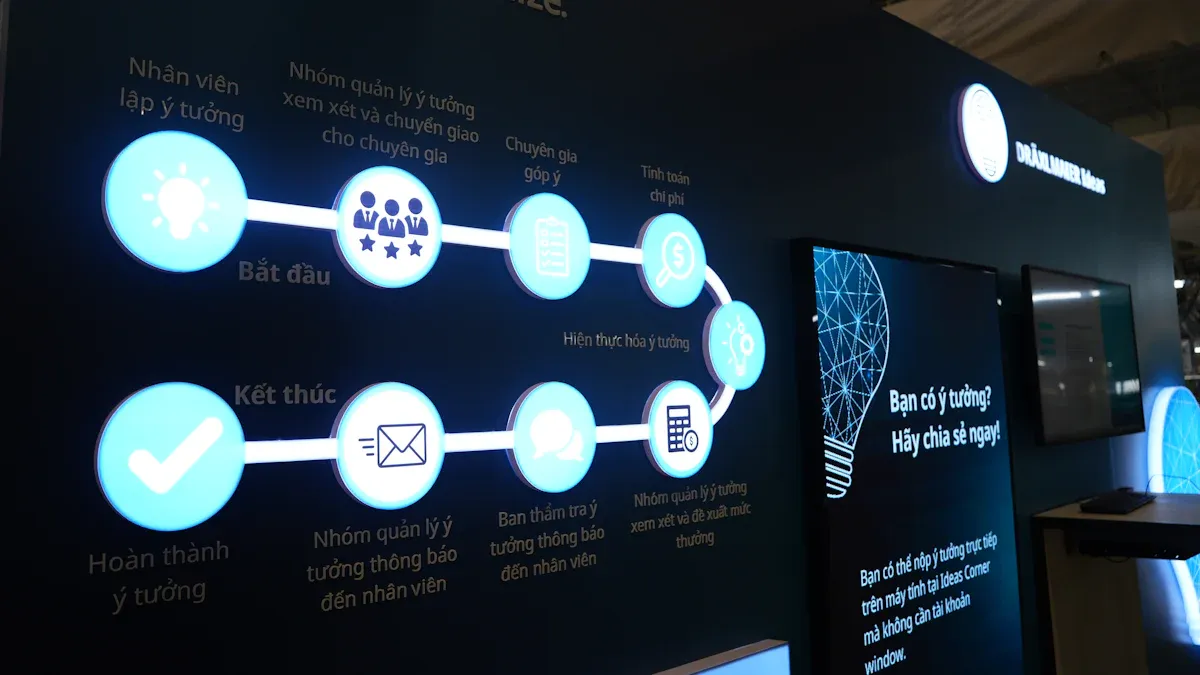
Cloud-based tools
Cloud-based tools have become essential for modern process mapping. These platforms allow teams to create, edit, and share process maps from anywhere. Many organizations choose cloud-based solutions because they support remote work and real-time collaboration. The following tools stand out in 2026 for their versatility and ease of use:
MockFlow IdeaBoard: Offers customizable process maps for various business needs.
Lucidchart: Provides a drag-and-drop interface for visualizing workflows.
Creately: Specializes in diagramming with a user-friendly design.
Miro: Functions as an online whiteboard for collaborative mapping.
ClickUp: Combines project management with process mapping features.
Canva: Includes templates for flowcharts and process diagrams.
Mural: Supports visual collaboration and process design.
Microsoft Visio: Delivers robust diagramming capabilities.
SmartDraw: Features templates for business process maps.
Notion: Integrates process mapping into an all-in-one workspace.
These tools help teams work together efficiently. They also make it easy to update and share process maps as workflows change.
AI-powered solutions
Artificial intelligence has transformed how organizations approach process mapping. AI-powered solutions can generate diagrams from text descriptions, saving time and reducing manual effort. These tools analyze workflow data and suggest improvements automatically. The table below highlights a key feature and its benefit:
Feature | Benefit |
|---|---|
Enables quick creation of process maps from text, increasing efficiency |
AI-powered tools help teams identify bottlenecks and optimize processes faster. They also support continuous improvement by learning from workflow data over time.
Tip: Teams can use AI features to automate repetitive mapping tasks and focus on higher-level analysis.
Workflow integration
Integrating process mapping tools with workflow management systems streamlines business operations. Teams should look for features that support seamless integration and collaboration. The most important features include:
Ease of Use: Simple interfaces with drag-and-drop functionality and pre-built templates.
Collaboration: Real-time editing and feedback for team members.
Customization: Flexible templates and options for unique workflows.
Integrations: Compatibility with existing business tools for smooth data sharing.
Template Library: Access to a wide range of pre-built process maps.
Export & Sharing Options: Multiple formats for sharing diagrams with stakeholders.
Selecting tools with these features ensures that process maps stay relevant and accessible. Integrated solutions help teams manage tasks, track progress, and maintain up-to-date documentation.
Note: Effective workflow integration supports better communication and faster decision-making across departments.
Tool selection tips
Choosing the right business process mapping tool can shape the success of any improvement project. Teams should consider several factors before making a decision. The right tool fits the organization’s needs, supports collaboration, and adapts to future changes.
Key criteria for selecting a process mapping tool:
Ease of Use
Users should look for tools with simple interfaces. Drag-and-drop features and clear menus help teams work faster. A tool that is easy to learn reduces training time.Collaboration Features
Teams often work together from different locations. Real-time editing, comments, and sharing options make teamwork easier. Good collaboration tools help everyone stay on the same page.Integration Capabilities
The best tools connect with other business systems. Integration with project management, document storage, or communication platforms saves time and reduces errors.Customization and Flexibility
Every organization has unique workflows. A good tool allows users to create custom templates, symbols, and layouts. Flexibility helps teams map both simple and complex processes.Security and Compliance
Data protection matters. Teams should check if the tool meets industry standards for security. Features like user permissions and audit trails help protect sensitive information.Cost and Scalability
Organizations should compare pricing plans. Some tools offer free versions with basic features. Others require subscriptions for advanced options. Teams should choose a tool that fits their budget and can grow with the business.
Tip: Teams should test a few tools with a small group before making a final choice. Free trials or demo versions help users see if the tool meets their needs.
Comparison Table:
Criteria | Why It Matters | What to Look For |
|---|---|---|
Ease of Use | Saves time and reduces errors | Drag-and-drop, clear interface |
Collaboration | Supports teamwork | Real-time editing, comments |
Integration | Connects with other tools | API access, app integrations |
Customization | Fits unique workflows | Custom templates, symbols |
Security | Protects sensitive data | Permissions, compliance |
Cost | Matches budget and growth | Free trial, scalable pricing |
Note: Teams should involve IT and end users in the selection process. Their feedback ensures the tool works well for everyone.
Selecting the right process mapping tool helps organizations improve workflows, boost communication, and adapt to change. Careful evaluation leads to better results and long-term success.
Next Steps for Your Business
Set process mapping goals
Setting clear goals guides every process mapping effort. Teams that define their objectives from the start achieve better results. The following steps help organizations set effective goals:
Identify the process to map. Select a workflow that aligns with business priorities and improvement needs.
Define the objectives and scope. Set boundaries for the process and clarify what the team wants to achieve.
Break down the process into measurable steps. Make each part specific and easy to track.
Identify all inputs, outputs, and stakeholders. Clarify who is involved and what resources are needed.
Analyze and optimize. Look for inefficiencies and plan improvements based on the mapped process.
Setting clear goals helps teams focus their efforts and measure progress. Many organizations see faster improvements when they start with well-defined objectives.
Build your team
A strong team forms the foundation of successful process mapping. Teams that work together and communicate openly create more accurate and useful maps. To build an effective team, organizations should:
Develop a strategy to reach those objectives.
Engage team members early to build buy-in and trust.
Foster collaboration and open communication among all stakeholders.
Minimize conflicts by addressing needs and expectations from the start.
Collaboration ensures that every perspective is heard. Teams that gather information from different departments create maps that reflect real workflows. This approach leads to practical outcomes, such as smoother handoffs and fewer errors.
Plan your first session
Planning the first mapping session sets the tone for the entire project. Teams should follow these steps to ensure a productive start:
Select a process that supports strategic goals and immediate needs.
Gather information through observation, interviews, or surveys. Involve stakeholders to capture real-world details.
Define each step in the process. Break down the workflow into clear, manageable parts.
Choose a mapping tool that fits the team's needs and the process complexity.
Visualize the process using diagrams. Clear visuals help everyone understand the workflow.
Review and refine the map with stakeholders. Simplify complex steps and confirm accuracy.
Implement the process map and monitor its performance over time.
Teams that plan carefully often see practical improvements, such as reduced delays and better communication. Clients at both systems and team levels report smoother workflows and more consistent results after following these steps.
Teams that follow clear steps see real improvements in their workflows. Many organizations achieve results by mapping processes, updating regularly, and collaborating across departments. The most compelling benefits include:
Better compliance with regulations
Improved onboarding for employees
Enhanced data accuracy for faster decisions
Greater focus on high-value tasks
Companies centralize operations and simplify audits. They remain agile when regulations change. Process mapping tools help streamline operations before automation. Clients at both systems and team levels report smoother workflows and consistent results. Explore recommended tools and best practices to start your journey. Share your experiences or reach out for more information. 🚀
FAQ
What is the main purpose of business process mapping?
Business process mapping helps organizations visualize workflows. Teams use maps to find inefficiencies, improve communication, and support training. Clear maps make it easier to understand how work gets done.
How often should teams update process maps?
Teams should review process maps at least every six months. Fast-changing industries may need more frequent updates. Regular reviews keep maps accurate and useful.
Which process mapping tool works best for beginners?
Lucidchart and Creately offer user-friendly interfaces. These tools provide templates and drag-and-drop features. Beginners can create clear maps without advanced technical skills.
Can process mapping help with regulatory compliance?
Yes. Process maps document workflows and responsibilities. Clear diagrams help organizations meet regulatory standards and prepare for audits.
What is the difference between a flowchart and a swimlane diagram?
A flowchart shows steps in a process. A swimlane diagram organizes steps by roles or departments. Swimlane diagrams clarify who does what and when.
Who should participate in process mapping sessions?
Teams should include people from all departments involved in the process. Stakeholders bring valuable insights and help create accurate maps.
Is process mapping only for large organizations?
No. Businesses of any size can benefit from process mapping. Small teams use maps to improve workflows and train new employees.
How does AI improve process mapping in 2026?
AI-powered tools generate maps from text and suggest improvements. These tools help teams save time and find bottlenecks faster.


