Simple Ways to Optimize Operations with a Business Process Management System
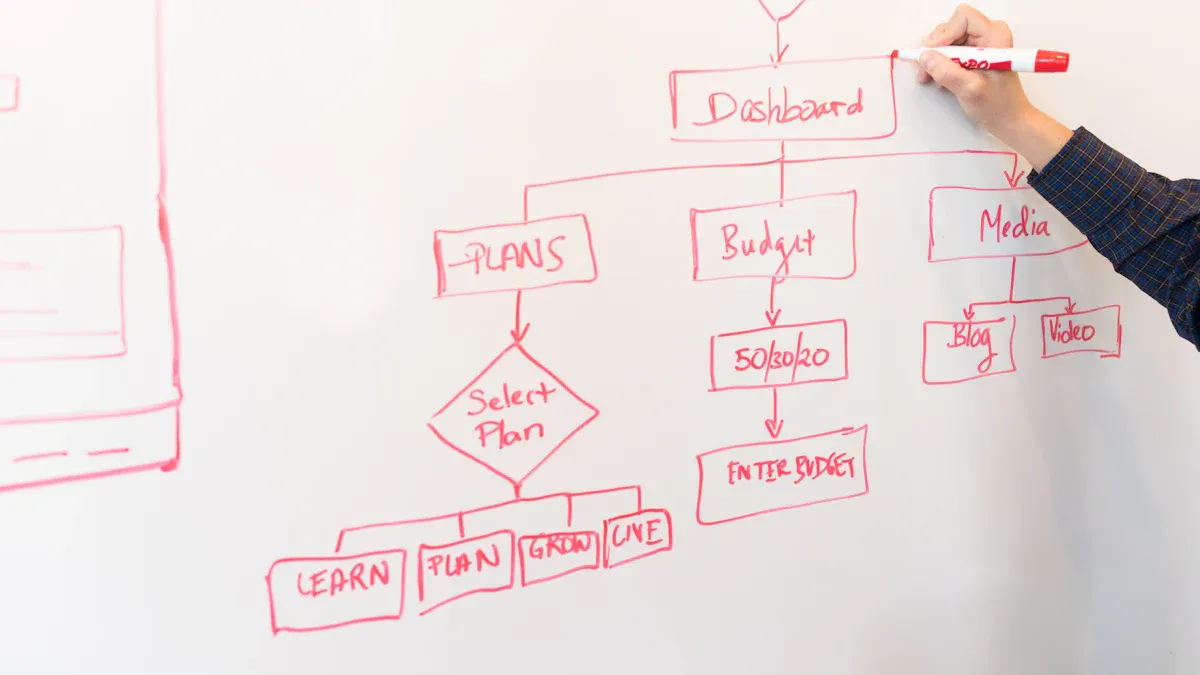
A Business Process Management System improves how organizations manage daily tasks and resources. Companies use this methodology to automate workflows, streamline complex processes, and boost customer service. Many industry surveys show these systems deliver greater efficiency, better decision-making, and stronger performance. Teams gain agility and adapt quickly to market changes. Non-technical professionals can easily access and use these tools.
Operational efficiency increases
Project management improves
Employee onboarding speeds up
Compliance and governance strengthen
Key Takeaways
A Business Process Management System (BPMS) boosts operational efficiency by automating workflows and reducing manual tasks.
Implementing BPMS improves project management, making it easier to track progress and meet deadlines.
Automation speeds up employee onboarding, allowing new hires to become productive faster.
BPMS enhances compliance by keeping track of regulations and ensuring processes follow legal requirements.
Real-time tracking in BPMS helps identify bottlenecks, enabling quick adjustments to improve workflow.
Using BPMS leads to cost reductions by eliminating unnecessary steps and streamlining processes.
BPMS fosters better team collaboration through centralized communication and task management.
Continuous improvement is key; regularly assess and refine processes to maintain efficiency and adapt to changes.
What Is a Business Process Management System?
BPMS Basics
A Business Process Management System helps organizations design, execute, monitor, and improve their business processes. This system provides a structured way to manage tasks and workflows. Companies use it to map out each step in a process, making it easier to identify areas for improvement. The main goal is to increase efficiency and reduce manual work.
Industry experts describe a Business Process Management System as a platform with several core components. The table below outlines these components and their functions:
Core Component | Description |
|---|---|
Process modeling | The capability to create and modify processes in software, including identifying workflow elements and assigning attributes. |
Workflow automation | The ability to automatically execute tasks within a process based on specific rules or triggers. |
Complex event processing | The ability to monitor events and trigger actions when specific criteria are met. |
These components work together to help organizations manage their operations more effectively.
How BPMS Works
A Business Process Management System operates by mapping out business processes in a digital format. Users can create visual diagrams that show each step in a workflow. The system allows managers to assign tasks, set deadlines, and track progress. Automation features handle repetitive tasks, so employees can focus on more important work.
The system monitors events and triggers actions when certain conditions are met. For example, if an employee completes a task, the system can automatically notify the next person in the workflow. This reduces delays and keeps projects moving forward. Real-time tracking gives managers insight into how processes perform, helping them spot bottlenecks and make adjustments.
BPMS vs. RPA
Many people confuse a Business Process Management System with Robotic Process Automation. While both tools improve efficiency, they serve different purposes. The table below highlights the main differences:
Aspect | Robotic Process Automation (RPA) | Business Process Management (BPM) |
|---|---|---|
Definition | Technology that automates repetitive tasks using software bots. | Strategic approach to optimize and manage entire business processes. |
Focus | Narrow focus on automating high-volume, rule-based tasks. | Broader focus on end-to-end process management and improvement. |
Role | Acts as individual players executing specific tasks. | Acts as a coach guiding the overall strategy and efficiency of business processes. |
Integration | Requires minimal integration with existing IT systems. | Often involves significant integration and transformation of business processes. |
Complementarity | Can complement BPM by automating specific tasks within broader processes. | Provides a holistic view and framework for optimizing processes that can include RPA. |
RPA uses software bots to automate routine tasks. Employees can then focus on higher priority work.
BPM takes a strategic approach. It reshapes business processes for optimal efficiency and productivity.
A Business Process Management System provides a holistic framework for managing and improving processes. RPA can work within this framework to automate specific tasks, but BPMS oversees the entire process from start to finish.
Key Benefits
A Business Process Management System delivers several advantages to organizations. Teams often notice improvements soon after implementation. These benefits help companies operate more smoothly and respond to changes with confidence.
Greater Visibility
Managers gain a clear view of how processes work. They can see each step and spot where things slow down. This insight helps them understand what actually happens, not just what should happen. When teams know where problems exist, they can fix them faster.Improved Efficiency
Employees spend less time on repetitive tasks. The system automates many steps, which means people can focus on important work. Data analysis shows where processes waste time or resources. Leaders use this information to make changes that speed up workflow.Cost Reductions
Organizations save money by removing unnecessary steps. The system highlights areas where work overlaps or gets repeated. By streamlining these processes, companies lower their operating costs and increase profits.Business Agility
Companies adapt quickly to new market demands. The system allows teams to change processes without long delays. When customers want something new, businesses can respond right away. This flexibility keeps organizations competitive.Enhanced Customer Experience
Customers notice when service improves. The system helps companies map out the customer journey. Teams focus on delivering value at every step. When processes run smoothly, customers receive faster and better service.Stronger Compliance
Regulations change often. The system keeps track of rules and ensures that processes follow them. Documentation becomes easier, and companies reduce the risk of fines. Managers feel confident that their teams meet legal requirements.Risk Mitigation
Every business faces risks. The system helps identify and manage these risks before they become problems. Teams monitor operations and spot issues early. This proactive approach leads to smoother business activities.
Tip: Companies that use a Business Process Management System often find it easier to measure results. They track progress and adjust strategies based on real data.
The benefits of a Business Process Management System extend across departments. Operations, customer service, and compliance teams all gain from better processes. When organizations use these systems, they build a foundation for long-term success.
Optimizing Operations with BPMS

Workflow Automation
Automating workflows stands as one of the most effective strategies for improving operations. Systems and teams use automation to handle repetitive tasks, which frees employees to focus on higher-level work. This shift increases productivity and reduces labor costs.
Task Automation
Automating routine tasks allows companies to significantly reduce labor costs and improve task completion speeds. This shift enables employees to focus on higher-level work, streamlining tasks and boosting overall productivity.
Teams often start by defining clear goals for automation. They identify high-impact opportunities and map out current workflows. By analyzing bottlenecks and inefficiencies, systems can target areas that slow down progress. Integration with existing technology ensures a seamless data flow, which eliminates information silos.
Define clear goals and objectives for automation.
Identify high-impact automation opportunities.
Map out current processes and workflows.
Analyze bottlenecks and inefficiencies.
Ensure IT infrastructure support.
Leverage automation tools effectively.
Design and test automated workflows in controlled environments.
Provide comprehensive training for employees.
Monitor and measure performance metrics.
Establish a feedback loop for continuous improvement.
Error Reduction
Automation reduces errors by standardizing processes. Systems track key metrics such as time spent on manual data entry and error rates. Teams analyze operational data to identify error-prone activities and focus on time-intensive manual processes.
Analyze operational data to identify bottlenecks and error-prone activities.
Focus on time-intensive manual processes.
Use key metrics such as time spent on manual data entry and error rates.
Gather direct input from team members for insights on automation opportunities.
Process Visibility
Visibility into business processes helps managers and teams make informed decisions. Systems provide real-time tracking and highlight bottlenecks, which allows for quick adjustments.
Real-Time Tracking
Managers monitor and measure process performance using dashboards and reports. Real-time tracking delivers tasks and tracks progress against milestones. Teams and clients benefit from visibility into operations, which reduces time and costs associated with project management.
Evidence Description | Source Link |
|---|---|
BPMS allows managers to monitor and measure process performance, enhancing visibility. | |
It helps identify redundancies and inefficiencies, allowing focus on critical tasks. | |
Provides real-time visibility into operations, aiding in prompt identification of bottlenecks. |
Bottleneck Detection
Systems and teams use process visibility to detect bottlenecks. For example, monitoring approval cycle times helps teams accelerate sign-offs and reduce administrative friction. Tracking completion rates in vendor onboarding shortens procurement cycles and improves supplier satisfaction. In customer support, structured workflows and real-time dashboards improve ticket resolution times.
Approval Processes: Monitoring approval cycle times helps teams identify bottlenecks, accelerating sign-offs and reducing administrative friction.
Vendor Onboarding: Tracking completion rates and validation times shortens procurement cycles and enhances supplier satisfaction.
Customer Support Processes: Structured workflows and real-time dashboards improve ticket resolution times and customer satisfaction.
Team Collaboration
Collaboration improves when systems provide a unified environment for data management and communication. Teams work together more effectively, which leads to better decision-making and project outcomes.
Centralized Communication
Centralized communication features in BPMS enhance structured workflows. These features help set goals and track performance metrics. Real-time visibility into performance processes maintains accountability by ensuring that all tasks are executed properly and on time.
Centralized communication features in BPM systems enhance structured workflows, which are crucial for setting goals and tracking performance metrics.
Real-time visibility into performance processes helps maintain accountability by ensuring that all tasks are executed properly and on time.
Automated feedback cycles and standardized performance reviews reduce delays and errors, leading to improved project outcomes.
A centralized repository ensures all employees have access to the most current processes. This single source of truth keeps everyone aligned, which is essential for accountability in project execution.
Accountability
BPMS software allows for clear assignment of tasks to specific employees. Monitoring progress on assigned tasks provides visibility into workloads, which aids in better resource allocation and project management. Built-in collaboration tools facilitate real-time communication, improving teamwork and project outcomes, especially in remote settings.
Feature | Benefit for Collaboration |
|---|---|
Model business processes | Enables teams to visualize workflows and collaborate effectively |
Automate tasks | Reduces manual effort, allowing teams to focus on collaboration |
Manage processes | Provides a structured approach for team interactions |
Optimize workflows | Enhances efficiency, leading to better team collaboration |
Systems and teams achieve operational improvements by using these features to foster better collaboration, reduce manual entry errors, and ensure proper access control for security. This approach enhances collaboration across the organization and supports continuous improvement.
Essential BPMS Features
User-Friendly Interface
A user-friendly interface helps teams work efficiently with a Business Process Management System. Leading systems offer features that make navigation and process management simple for everyone. Visual process diagramming tools allow users to create and understand workflows quickly. Drag and drop form designers let users build and edit forms without technical skills. Role-based access control protects sensitive data by giving different permissions to users. Mobile support ensures that employees can access the system from any location. Powerful administrator features help managers update and manage processes without outside help.
Feature | Description |
|---|---|
Visual Process Diagramming Tool | Enables users to create process flow diagrams, which is essential for understanding workflows. |
Drag and Drop Form Designer | Allows users to easily capture and edit data through forms, making the process more intuitive. |
Role-Based Access Control | Ensures sensitive data is protected by allowing different levels of access to users. |
Mobile Support | Ensures that users can access the BPM system on mobile devices, important for modern processes. |
Powerful Administrator Features | Provides tools for administrators to manage and edit processes without needing external help. |
Tip: A simple interface reduces training time and helps new users become productive faster.
Custom Workflows
Custom workflows give organizations the flexibility to design processes that fit their unique needs. Teams can tailor workflows to match business requirements, which improves efficiency. These workflows integrate with existing tools, so information flows smoothly between systems. The ability to adapt workflows helps companies respond to new challenges and changing environments. This flexibility leads to better collaboration and faster decision-making.
Businesses tailor workflows to their specific needs.
Integration with existing tools enhances system functionality.
Systems adapt to changing business environments, ensuring responsiveness.
Flexibility improves efficiency and collaboration across teams.
Note: Custom workflows support continuous improvement by allowing teams to refine processes as needs change.
Integration Tools
Integration tools connect the Business Process Management System with other enterprise software. These connections help departments share information and work together. A strong BPMS links with software like CRM, ERP, and marketing automation platforms. Integration-centric BPM relies on APIs and connectors to move data between systems with little human intervention. This approach keeps information accurate and up to date across the organization.
Connects seamlessly with CRM, ERP, and marketing automation tools.
Supports processes that operate across multiple software systems.
Uses APIs and connectors for smooth data flow.
Callout: Integration tools help organizations avoid data silos and improve overall productivity.
Reporting & Analytics
Reporting and analytics features in a Business Process Management System play a vital role in helping organizations make informed decisions. These tools collect and organize large sets of data from daily operations. Managers use this information to understand how processes perform and where improvements are needed.
BPMS platforms transform raw data into actionable insights. They provide clear visualizations, such as charts and dashboards, that summarize key metrics. Dashboards allow users to see performance at a glance. This quick overview helps teams spot trends and respond to issues faster. Reporting tools generate detailed reports that break down business activities. These reports support in-depth analysis and guide strategic planning.
Organizations rely on data visualization to simplify complex information. Visual formats make it easier for employees to interpret results and share findings with others. Teams use dashboards to monitor progress and compare outcomes over time. This approach encourages transparency and keeps everyone focused on goals.
Business analytics within BPMS use statistical analysis and predictive modeling. These methods help organizations uncover patterns in their data. Managers identify trends that affect productivity, customer satisfaction, and costs. Predictive modeling allows teams to forecast future outcomes based on current performance. This capability supports proactive decision making and risk management.
Tip: Visual dashboards and automated reports save time for managers. They reduce manual effort and minimize errors in data interpretation.
Reporting and analytics tools also support compliance and governance. Automated reports track regulatory requirements and highlight areas that need attention. This feature helps organizations avoid penalties and maintain high standards.
Key benefits of reporting and analytics in BPMS include:
Collecting, analyzing, and interpreting large data sets for better business strategies.
Transforming raw data into actionable insights that drive improvements.
Simplifying complex data with visual formats like charts and dashboards.
Providing quick performance assessments through visual summaries.
Generating detailed reports for thorough business analysis.
Utilizing statistical analysis and predictive modeling to uncover patterns and trends.
Supporting data-driven decisions that improve efficiency and reduce risks.
A strong reporting and analytics feature set ensures that organizations stay competitive. Teams gain the ability to measure success, adjust strategies, and achieve continuous improvement. BPMS platforms empower users to make smarter choices by turning data into knowledge.
BPMS Implementation Steps

Process Assessment
A successful BPMS rollout begins with a thorough process assessment. Project managers create an action plan that defines the project scope and sets a realistic timeline. This approach aligns all stakeholders and encourages collaboration. Teams document goals and desired outcomes, which helps everyone understand the purpose of the assessment. Open dialogue uncovers pain points and opportunities for improvement. Stakeholders provide feedback to reveal areas that might otherwise be overlooked.
A process assessment often follows these steps:
Define the product by identifying tools that meet organizational requirements and understanding how they integrate with existing systems.
Research vendors to evaluate their expertise and support offerings.
Keep an open mind by assessing end-to-end processes and considering improvements beyond current practices.
Set a timeline and budget to guide the selection process.
Teams also encourage ongoing communication to ensure that everyone remains engaged throughout the assessment. This method helps organizations build a strong foundation for BPMS implementation.
Goal Setting
Organizations set clear goals before introducing a BPMS. They define objectives and desired outcomes, which provides direction for the project. Teams identify specific processes that need improvement. Measurable goals allow managers to track progress and adjust strategies as needed.
A strategic plan with well-defined goals gives teams a roadmap for their BPM efforts. Goals must be specific and measurable to ensure accountability. Key Performance Indicators (KPIs) help track progress. KPIs are quantifiable metrics that show how effectively teams meet their goals.
Tip: Setting measurable goals helps organizations evaluate the success of BPMS implementation and supports continuous improvement.
System Selection
Selecting the right BPMS requires careful consideration of several criteria. Usability stands out as a top priority. Teams focus on end-users and their needs to avoid unnecessary complexity. Analysis features support methodologies like Lean or Six Sigma, which drive effective process improvement. Governance tools, such as version control and audit trails, provide oversight and ensure compliance.
Content management features encourage collaboration and feedback among teams. Technology must be scalable to keep pace with software advancements. Cost considerations go beyond the initial price. Organizations look at the return on investment to make informed decisions.
Criteria | Description |
|---|---|
Usability | Focuses on end-user needs and simplicity |
Analysis | Supports process improvement methodologies |
Governance | Provides oversight with version control and audit trails |
Content Management | Encourages collaboration and team feedback |
Technology | Offers scalability and adapts to new advancements |
Cost | Considers long-term value and return on investment |
A careful selection process ensures that the chosen BPMS meets organizational needs and supports long-term growth.
Team Training
Effective team training ensures that everyone can use a Business Process Management System (BPMS) with confidence. Training helps employees understand new workflows and adapt to changes in daily operations. When organizations invest in proper training, they see faster adoption and fewer mistakes.
A strong training program starts with clear communication. Trainers explain the benefits of the BPMS so that employees know how it will help them manage tasks and improve efficiency. Staff members learn how to complete each step in the system and how to solve common problems. This approach builds trust and reduces resistance to change.
Tip: Trainers should use real examples from daily work to make lessons more relatable and easier to understand.
Organizations often follow these best practices for BPMS training:
Train employees on the steps needed to complete tasks and how to address issues that may arise.
Explain the benefits of using the BPMS for process management, such as saving time and reducing errors.
Conduct training sessions with all staff involved in the new system, not just managers or IT specialists.
Implement regular reviews or audits to ensure everyone follows best practices and to identify areas for improvement.
Interactive training sessions help employees practice using the system. Trainers encourage questions and provide hands-on activities. This method allows staff to learn by doing, which increases retention and confidence. Some organizations use role-based training, where each group learns the features most relevant to their job. For example, managers focus on monitoring and reporting, while team members practice task completion and communication.
A successful training program also includes ongoing support. Employees need access to resources like user guides, video tutorials, and a help desk. Regular check-ins and refresher courses keep skills sharp and address any new challenges. When organizations review how teams use the BPMS, they can spot gaps in knowledge and offer targeted support.
Note: Continuous learning helps teams stay up to date as the BPMS evolves and new features become available.
Ensuring BPMS Success
Start Small
Organizations often achieve the best results by starting with small BPMS projects. A focused approach allows teams to learn the system and adapt to new workflows without overwhelming resources. Small-scale projects help teams build confidence and develop a shared understanding of processes. These early wins can lead to greater efficiency and competitive advantages, especially for small businesses.
It improves the shared understanding of processes among team members.
These improvements can lead to competitive advantages for small businesses.
Teams should select a single process or department for the initial rollout. This strategy makes it easier to measure results and adjust the approach as needed. Success in a small project creates momentum for broader adoption across the organization.
Tip: Early success stories encourage more employees to support BPMS initiatives.
Stakeholder Involvement
Stakeholder involvement plays a critical role in BPMS success. Leaders must identify all stakeholders and clarify their roles from the beginning. A well-structured stakeholder management plan ensures that everyone knows when and how to participate. This clarity increases productivity and keeps projects on track.
"It’s a key issue that needs attention, and a CIO can and should set the tone and practices for effective stakeholder management," says Brett Tucker, an adjunct professor of cyber risk management at Carnegie Mellon University’s Heinz College.
Identification and inclusion of all stakeholders: A good stakeholder management plan helps project leaders identify all stakeholders and ascertain which stakeholders need to be involved at which stages of the project’s execution.
Increased role clarity and focus: A stakeholder plan helps project managers set realistic expectations for each type of stakeholder in any given project.
Higher productivity: Stakeholders who understand their roles and the roles of others are more likely to stay on task, thereby boosting productivity.
"Good stakeholder management is a mechanism to help you identify potential problems earlier rather than later and take the necessary corrective actions to help prevent them from occurring," Datt notes.
Regular communication with stakeholders helps teams spot issues early and make timely adjustments. When everyone understands their responsibilities, the organization can avoid delays and confusion.
Continuous Improvement
Continuous improvement ensures that BPMS delivers long-term value. Teams should use proven strategies to optimize performance and reduce waste. The Plan-Do-Check-Act (PDCA) cycle provides a structured approach for ongoing enhancements.
Plan: Decide on the problem and create a plan.
Do: Test and implement the plan on a small scale.
Check: Review the performance of the actions taken.
Act: Decide on larger scale implementation based on review.
Teams also benefit from methods like Six Sigma and Total Quality Management (TQM). These approaches focus on reducing defects and improving quality. Regular reviews help teams identify areas for improvement and develop solutions.
Muda (wastefulness): Practices that consume resources but don’t add value.
Mura (unevenness): Overproduction that leaves behind waste.
Muri (overburden): Too much strain on resources.
Teams should define clear objectives, map out current processes, and monitor progress. By making small adjustments and tracking results, organizations can achieve steady gains in efficiency and quality.
Note: Continuous improvement keeps BPMS aligned with business goals and changing needs.
Overcoming BPMS Challenges
Implementing a Business Process Management System (BPMS) brings many benefits, but organizations often face several challenges during adoption. Understanding these obstacles and using proven strategies helps teams achieve successful outcomes.
Change Management
Change management stands as a critical factor in BPMS success. Many employees resist new systems, which can slow progress and reduce effectiveness. Teams often struggle with unclear processes and lack of documentation, leading to confusion. The table below highlights common challenges organizations encounter:
Challenge | Explanation |
|---|---|
Unclear processes create confusion and inefficiencies. | |
Resistance to change within teams | Employees may hesitate to adopt new systems. |
Integration issues with existing systems | Difficulty connecting BPMS with current tools disrupts workflows. |
High implementation costs and time constraints | Traditional solutions can be expensive and time-consuming. |
Inefficient use of BPM tools | Teams may not use BPMS features effectively, reducing return on investment. |
To address these issues, organizations use several change management strategies:
Team transition and preparation: Leaders explain the need for change and set clear objectives.
Clear communication: Managers share updates and collect feedback from employees.
Initiate the change: Teams design an IT roadmap and set a launch date.
Change implementation and robust onboarding: Organizations provide guidance and support for users.
Continuous support, review, and management: Teams set goals and track key performance indicators (KPIs).
Successful change management also includes user training, open communication, and recognition of achievements. Training programs should match the needs and skills of different user groups, helping everyone adapt to new systems.
System Integration
System integration presents another major challenge. Many organizations find it difficult to connect BPMS with existing software, which can disrupt data flow and daily operations. Teams use a structured approach to overcome these obstacles:
Process Mapping: Teams document current business processes to align them with BPMS capabilities.
Change Management: Early stakeholder engagement and training reduce resistance.
Data Management: Structured data cleansing and migration ensure accuracy.
Integration and Testing: Teams develop integration strategies and test systems before deployment.
Monitoring and Optimization: Continuous monitoring and improvement keep systems efficient.
This step-by-step process helps organizations avoid workflow disruptions and ensures that BPMS works smoothly with other tools.
Measuring Results
Measuring the results of BPMS initiatives helps organizations understand their impact and identify areas for improvement. Teams use a variety of metrics to gain a complete view of process performance. The table below summarizes key metric types:
Metric Type | Purpose |
|---|---|
Efficiency metrics | Assess resource use, such as cost per unit. |
Effectiveness metrics | Measure achievement of desired outcomes, like customer satisfaction. |
Variance metrics | Track consistency and deviations from expected results. |
Control metrics | Ensure processes stay within set limits. |
Improvement metrics | Monitor progress over time, such as monthly cost reductions. |
Teams track these metrics to evaluate efficiency, effectiveness, and improvement. This holistic approach supports continuous progress and helps organizations achieve their goals with BPMS.
Teams that use a Business Process Management System see strong results. The table below shows how BPMS improves key metrics:
Key Metrics | Improvement Percentage |
|---|---|
Task completion time reduction | |
Productivity increase in manufacturing | Up to 35% |
Operational cost reduction | 25-30% |
Error and defect reduction | 50% |
Customer satisfaction improvement | 30-40% |
Service delivery speed increase | 45-55% |
Customer retention rate growth | 15-25% |
To optimize operations, teams should identify high-impact processes, analyze performance, set clear goals, and use BPMS for monitoring. For those interested in learning more, consider these steps:
Analyze and redesign for improvement.
Test, implement, and monitor new workflows.
Continuously improve for lasting success.
Anyone seeking further guidance can reach out for more information or support.
FAQ
What is a Business Process Management System (BPMS)?
A BPMS helps organizations design, automate, and monitor business processes. Teams use it to improve efficiency and reduce manual work. The system provides tools for mapping workflows and tracking progress.
How does BPMS improve team collaboration?
BPMS centralizes communication and task management. Employees share information in one place. Teams assign tasks and monitor progress together. This approach increases accountability and supports better teamwork.
Can non-technical staff use BPMS easily?
Most BPMS platforms offer user-friendly interfaces. Employees use drag-and-drop tools and visual diagrams. Training helps staff learn features quickly. Non-technical users manage workflows without coding.
What types of processes can BPMS automate?
BPMS automates repetitive tasks such as approvals, data entry, and onboarding. Teams use it for customer support, procurement, and compliance tracking. Automation reduces errors and saves time.
How does BPMS help detect bottlenecks?
BPMS provides real-time dashboards and reports. Managers see where tasks slow down. The system highlights delays and helps teams fix problems quickly.
Is BPMS compatible with other business software?
Many BPMS platforms integrate with CRM, ERP, and marketing tools. APIs and connectors allow data to flow between systems. Integration supports smooth operations across departments.
What are the main benefits of using BPMS?
BPMS increases efficiency, reduces costs, and improves visibility. Teams adapt quickly to changes. The system supports compliance and risk management. Customers receive better service.
How do organizations measure BPMS success?
Teams track metrics like task completion time, error rates, and customer satisfaction. Managers use dashboards and reports to monitor progress. Continuous improvement ensures lasting results.


