Unlocking Efficiency with Business Process Mapping Techniques

Every organization faces hurdles that slow down progress and waste resources. Business Process Mapping offers a clear way to address these issues. Many professionals report three top challenges it helps solve:
Continuous improvement by finding inefficiencies
Easier system implementation through documented workflows
Better knowledge management for both clients and customers
Visualizing each step and clarifying who does what can reveal hidden gaps. Teams often discover ways to serve customers more effectively when they see their processes mapped out.
Key Takeaways
Business Process Mapping helps organizations find inefficiencies and improve workflows.
Visualizing workflows can reduce meeting times by up to 24%, allowing teams to act faster.
Clearly defined roles and responsibilities lead to fewer mistakes and smoother teamwork.
Identifying bottlenecks through mapping can save companies significant resources and time.
Using tools like flowcharts and swimlane diagrams makes complex processes easier to understand.
Regularly updating process maps keeps workflows relevant and efficient.
Engaging all team members in mapping fosters collaboration and ownership of processes.
Setting clear goals using the SMART criteria ensures successful process mapping projects.
Business Process Mapping and Efficiency
Workflow Visualization
Workflow visualization stands as a powerful tool for organizations seeking greater efficiency. Teams use visual representations to see each step in a process. This approach helps everyone understand how work flows from start to finish. Studies show that process visualization can decrease the length of business meetings by up to 24%. This reduction means teams spend less time discussing and more time acting.
By providing a clear visual representation of workflows, teams can easily identify inefficiencies and improve communication, leading to better control over processes and enhanced productivity.
Visualizing workflows allows for quick identification of bottlenecks.
Teams can reallocate resources faster and adjust timelines with greater accuracy.
Business Process Mapping gives everyone a shared understanding. When people see the process, they spot gaps and overlaps that might go unnoticed in written documents. This clarity leads to faster decision-making and smoother operations.
Role Clarification
Clear roles and responsibilities are essential for efficient teamwork. Business Process Mapping helps organizations define who does what at each stage. When everyone knows their tasks, fewer mistakes occur and handoffs become smoother.
Benefit | Description |
|---|---|
Bottleneck Identification | Process mapping helps uncover bottlenecks, simplifies workflows, and engages teams in improvement. |
Standardization & Accountability | Mapping increases standardization and accountability, leading to smoother handoffs and fewer errors. |
Role Definition | A well-documented map defines roles and responsibilities, ensuring nothing is overlooked and fostering a sense of ownership. |
Teams that clarify roles through mapping experience fewer operational errors. Standardized processes make it easier to train new employees and maintain quality. Each person understands their part, which builds trust and accountability.
Identifying Bottlenecks
Identifying bottlenecks is a key benefit of Business Process Mapping. Bottlenecks slow down progress and waste resources. Mapping techniques help teams find these problem areas and fix them.
Gather Information: Team members share details about current workflows.
Create the Process Map: Use a flowchart or swimlane diagram to visualize the process.
Analyze the Map: Look for steps that take longer than expected or cause delays.
Implement Changes: Focus on the biggest bottlenecks and develop a plan to address them.
Organizations that use these steps often see measurable improvements. Process mapping helps identify inefficiencies, leading to streamlined operations and reduced waste. In fact, 21% of companies save 10% or more through business process optimization, which can help avoid billions in wasted resources. Data-driven insights from mapping also support better decision-making and long-term growth.
Defining Business Process Mapping
Key Concepts
Business Process Mapping gives organizations a way to visualize how work gets done. It shows each step, task, and decision in a process. This approach helps teams understand the flow of work and spot areas for improvement. By mapping out processes, companies can see who does what, when, and how. This clarity supports better teamwork and reduces confusion.
A process map includes several important components. These include tasks and activities, roles and responsibilities, decision points, inputs, and outputs. Each part plays a role in keeping the process running smoothly. For example, tasks and activities show what needs to happen. Roles and responsibilities make sure everyone knows their job. Decision points highlight where choices must be made. Inputs and outputs help teams track what goes in and what comes out of each step.
Component | Description |
|---|---|
Tasks and Activities | Manual and automated tasks that keep the process functioning. |
Roles and Responsibilities | Clearly defined roles that reduce ambiguity and improve collaboration. |
Decision Points | Critical moments where decisions shape the workflow. |
Inputs | Data and resources needed to start tasks. |
Outputs | Results produced by the process, used to measure effectiveness. |
Why It Matters
Business Process Mapping matters because it brings transparency to how organizations operate. Teams gain visibility into every step, which helps them find gaps and fix problems. This method streamlines workflows and supports continuous improvement. Many companies use process mapping to support Lean and Six Sigma methods, which focus on reducing waste and boosting performance.
Business process mapping is crucial for understanding workflows and identifying gaps. It enables organizations to visualize tasks and responsibilities, which is essential for achieving defined business goals and improving overall efficiency.
Research highlights several benefits:
Provides transparency and visibility into processes.
Supports methodologies like Lean and Six Sigma for better performance.
Benefit | Explanation |
|---|---|
Visual maps help teams find areas to improve, reducing waste and errors. | |
Enhanced Communication | Stakeholders understand processes better, which fosters collaboration. |
Streamlined Decision-Making | Clear objectives help leaders make informed choices. |
Continuous Process Improvement | Regular reviews lead to ongoing enhancements and adaptability. |
Many organizations have seen real results. For example, a company improved customer service by finding long wait times through process mapping. A financial institution made loan approvals faster by setting clear criteria in their mapped processes.
Process Map Elements
A process map uses symbols and shapes to show each part of a workflow. These elements make the map easy to read and understand. Each symbol stands for a specific action or decision, which helps everyone follow the process.
Element Type | Description | Contribution to Clarity |
|---|---|---|
Oval | Indicates start and end points of a process | Provides a clear pathway for flow |
Rectangle | Represents tasks or activities | Clarifies what actions need to be taken |
Diamond | Signifies decision points requiring evaluation | Shows where choices must be made |
Arrows | Connect symbols, indicating sequence of actions | Illustrates the flow of the process |
Circle | Denotes connectors linking different parts | Aids in visualizing the overall structure |
Each symbol in a process map represents a specific action or decision.
Familiar symbols help teams understand and discuss processes.
Clear symbols and notations make complex workflows easier to follow.
A well-designed process map serves as a visual guide. It shows the steps, tasks, and decisions involved in a process. This clarity helps all stakeholders understand how work moves from start to finish.
Process Mapping Techniques

Flowcharts
Benefits
Flowcharts help teams see every step in a process. They use shapes and arrows to show how tasks move from one stage to the next. This visual approach makes it easier to spot problems and remove wasteful steps. Teams can quickly find flaws or barriers that slow down work. By outlining each action, flowcharts give everyone a clear view of what needs to happen.
A process flow chart also highlights important stages, such as inputs, outputs, and decision points. This makes complex tasks easier to understand. When everyone sees the same map, they can work together to improve the process. Flowcharts help teams use time and resources more efficiently.
Use Cases
Teams use flowcharts in many situations. They help document standard operating procedures, train new employees, and guide project planning. Flowcharts also support troubleshooting by showing where errors might occur. In manufacturing, healthcare, and administrative services, flowcharts help teams follow the right steps and avoid mistakes.
Flowcharts help identify bottlenecks and inefficiencies. By visualizing each part of a process, teams can find areas that need improvement and make changes that boost efficiency.
Swimlane Diagrams
Advantages
Swimlane diagrams organize processes by showing who does what. Each lane represents a team or department. This format makes it easy to see where tasks move between groups. The table below shows how swimlane diagrams improve teamwork:
Benefit | Description |
|---|---|
Clear responsibility assignment | Defines who handles each task, reducing confusion. |
Improved handoff visibility | Shows where work moves between teams, cutting delays. |
Bottleneck identification | Highlights slow spots or overloads in specific lanes. |
Cross-functional alignment | Helps teams see how their work affects others, improving collaboration. |
Applications
Swimlane diagrams work well in project management, customer service, and software development. Teams use them to clarify responsibilities and track deliverables. In customer service, swimlane diagrams show how inquiries move from first contact to resolution. Software teams map user stories across development stages, which helps with agile sprints and project planning.
Value Stream Mapping
Efficiency Focus
Value stream mapping targets waste reduction in both manufacturing and service industries. This lean-management tool helps teams analyze how materials and information flow through a process. By diagramming every step, teams can see where waste occurs and find ways to improve efficiency.
Value stream mapping often serves as the first step in streamlining operations. Teams use it to visualize the entire process, from start to finish. This helps them spot delays, unnecessary steps, and areas for improvement.
Implementation
To implement value stream mapping, teams start by gathering data on current workflows. They create a visual map that shows each step, including material and information flows. Teams then review the map to find waste and develop solutions. Value stream mapping supports continuous improvement by helping teams make small changes that add up to big results.
Many organizations use Business Process Mapping techniques like flowcharts, swimlane diagrams, and value stream mapping to drive efficiency and support ongoing improvement.
SIPOC Diagrams
Overview
SIPOC diagrams give teams a high-level view of a business process. The name SIPOC stands for Suppliers, Inputs, Process, Outputs, and Customers. Each part helps teams understand how work moves from start to finish. SIPOC diagrams show the main steps without too much detail. This makes them useful for both new and experienced team members.
A SIPOC diagram starts with suppliers. These are the sources that provide the inputs. Inputs are the resources, information, or materials needed for the process. The process section lists the main activities or steps. Outputs show the results or products created. Customers are the people or groups who receive the outputs.
The table below explains each component:
Component | Description |
|---|---|
Suppliers | The sources that provide inputs to the business process. |
Inputs | The resources, information, and materials required for the process to function. |
Process | The series of activities, steps, or tasks needed to complete the inputs into outputs. |
Outputs | The products, services, or results of your process. |
Customers | The people or groups who receive the outputs or benefits from the process. |
Teams use SIPOC diagrams to see the big picture. This tool helps everyone agree on what the process includes and who is involved. SIPOC diagrams also help teams spot missing steps or unclear roles. By focusing on the main parts, teams can avoid confusion and improve communication.
Practical Use
Many organizations use SIPOC diagrams at the start of process improvement projects. Teams often build a SIPOC diagram before mapping out details. This helps them set clear boundaries for the process. SIPOC diagrams work well in both manufacturing and service industries.
To create a SIPOC diagram, teams follow these steps:
Identify the process to map.
List the suppliers who provide inputs.
Define the inputs needed for the process.
Outline the main steps in the process.
List the outputs produced.
Identify the customers who receive the outputs.
SIPOC diagrams help teams clarify who supplies what, what resources are needed, and who benefits from the process. This clarity supports better planning and decision-making.
Teams use SIPOC diagrams to train new employees. The diagrams also help during meetings with stakeholders. When everyone sees the same diagram, they can discuss changes and improvements more easily. SIPOC diagrams support quality programs like Lean and Six Sigma by making processes easier to understand.
SIPOC diagrams do not show every detail. They focus on the main steps and connections. This makes them a good starting point for deeper analysis. Teams often use SIPOC diagrams with other tools, such as flowcharts or value stream maps, to get a full view of their processes.
Steps to Create a Process Map
Set Goals
Setting clear goals forms the foundation of any successful process mapping project. Teams begin by identifying and defining objectives using the SMART criteria. SMART stands for Specific, Measurable, Achievable, Relevant, and Time-bound. This approach ensures that every goal is clear and trackable.
Map the current process with visual tools.
Identify inefficiencies in the current process.
Design the future process by optimizing the map.
Implement and test the new process on a small scale.
Teams that follow these steps can focus their efforts and measure progress. Setting goals helps everyone understand what success looks like and keeps the project on track. When teams know their objectives, they can choose the right tools and methods for Business Process Mapping.
Tip: Teams should revisit their goals throughout the project to ensure they remain aligned with business needs.
Select Process
Choosing which process to map first is a critical decision. Teams often start by identifying the reason for creating the process map. They determine where the process begins and define the end goal. This clarity helps teams stay focused and avoid mapping unnecessary steps.
Determine the beginning of the process.
Define the end goal of the process.
Document the specific process, business problem, stakeholders' expectations, business objectives, and process scope.
Selecting the right process ensures that mapping efforts deliver the most value. Teams often choose processes that have the greatest impact on business goals or those that face frequent challenges. By documenting the process scope and objectives, teams set clear boundaries for their work.
Gather Stakeholders
Engaging the right stakeholders is essential for accurate process mapping. Stakeholders provide valuable insights into how the process works and where improvements are needed. Teams start by understanding stakeholders' interests and relationships. This knowledge helps them develop effective engagement strategies.
Identify and analyze stakeholders to assess their influence and interest.
Categorize and prioritize stakeholders to tailor engagement strategies for each group.
Develop clear communication strategies to manage expectations and involvement.
Maintain ongoing engagement to keep stakeholders informed and invested.
Teams that involve stakeholders from the beginning gain a deeper understanding of the process. Ongoing engagement ensures that everyone remains informed and invested in the outcome. Clear communication helps manage expectations and builds trust among all participants.
Note: Stakeholder input often reveals hidden challenges and opportunities for improvement.
List Tasks
Listing tasks forms the backbone of any effective process map. Teams begin by brainstorming every action required, no matter how small. This step ensures that no part of the workflow gets overlooked. Involving team members from different roles brings in diverse perspectives and helps capture the full scope of work.
Steps to List and Prioritize Tasks:
Brainstorm all tasks: Write down every activity, including minor steps.
Collaborate with the team: Invite input from all involved employees to ensure accuracy.
Sequence tasks logically: Arrange each task in the order it happens, from start to finish.
Identify decision points and feedback loops: Mark where choices occur and where feedback is needed.
Teams often use tools like the Eisenhower Matrix or the MoSCoW Method to prioritize tasks. The Eisenhower Matrix separates tasks by urgency and importance, while the MoSCoW Method helps clarify which tasks are essential and which can wait.
Task Prioritization Methods:
Eisenhower Matrix: Sorts tasks into urgent/important categories.
MoSCoW Method: Labels tasks as Must have, Should have, Could have, or Won’t have.
A clear, ordered list of tasks helps teams visualize the entire process. This approach reduces confusion and sets the stage for mapping and improvement.
Clarify Roles
Clarifying roles ensures that everyone knows their responsibilities within the process. Teams use visual tools like swimlane diagrams to separate tasks by role or department. Each lane in a swimlane diagram represents a specific person or group, making it easy to see who handles each step.
Effective Methods for Role Clarification:
Swimlane diagrams visually assign tasks to roles or departments.
Each lane highlights responsibilities, reducing confusion and overlap.
This format improves communication and accountability by showing dependencies and interactions.
Input from frontline employees proves valuable during this step. Employees who perform the tasks daily can reveal bottlenecks and inefficiencies that managers might miss. Accurate role clarification leads to smoother handoffs and fewer errors.
A process map that reflects real-world practices helps teams identify gaps and improve collaboration.
Map and Improve
Mapping and improving the process brings all previous steps together. Teams start by gathering a comprehensive list of resources, including people, materials, and information needed for each task. Defining the process scope sets clear boundaries, showing where the process begins and ends.
Common Strategies for Mapping and Improving Processes:
List resources: Identify all materials and people required for each step.
Define process scope: Set clear start and end points, and decide how much detail to include.
Document steps and sequence: Write out each step in order, noting relationships and transitions.
Choose the right map type: Select a process map style—such as flowchart or swimlane—that fits the process.
Create the process map: Use standard symbols and clear labels for each step.
Review and share: Present the map to stakeholders for feedback and validation.
Improve over time: Regularly revisit the map, using performance data to find new areas for improvement.
Minimize risks: Use the map to spot and address potential risks in the workflow.
Teams that review and update their process maps regularly see better results. Continuous improvement keeps processes efficient and reduces operational risks.
A well-mapped process gives everyone a clear guide to follow. It supports training, boosts efficiency, and helps organizations adapt to change.
Tools and Templates
Software Options
Many organizations use specialized software to create and manage process maps. These tools help teams visualize workflows, assign roles, and track progress. Some leading options include:
Lucidchart: This tool offers strong integration with other apps. Teams can use AI-assisted diagramming and real-time collaboration. Lucidchart supports advanced features for detailed analysis.
Camunda: Camunda provides advanced business process modeling. It supports workflow automation and allows for extensive customization. Teams can collaborate in real time.
Miro: Miro acts as a collaborative whiteboard. It offers an infinite canvas for brainstorming and mapping. Miro includes AI features and integrates with many teamwork tools.
Puzzle App: Puzzle App gives access to templates, collaboration tools, and automation features. It supports integration and scalability for growing businesses.
Software | Features |
|---|---|
Puzzle App | Templates, Collaboration Tools, Integration, Scalability, Customization, Automation |
Lucidchart | Integrations, AI-assisted diagramming, Real-time collaboration, Data-linked diagrams |
Camunda | BPMN modeling, Workflow automation, Real-time collaboration, Customization |
Miro | Collaborative whiteboard, AI capabilities, Integrations for teamwork |
These tools help teams design, share, and update process maps quickly. They also support remote work and make it easier to involve everyone in the mapping process.
Templates
Templates play a key role in streamlining process mapping for both small and large businesses. They provide a starting point, which saves time and ensures consistency. Teams use templates to standardize documentation and reduce errors. Templates also help new employees learn processes faster.
Benefit | Description |
|---|---|
Standardized Documentation | Templates ensure consistency in task performance, reducing errors and aiding onboarding for new employees. |
Continuous Improvement | Regular updates to process maps help identify optimization areas, enhancing agility and competitiveness. |
Enhanced Communication | Visual representations foster better understanding and communication among team members. |
Identification of Inefficiencies | Visualizing workflows helps pinpoint delays and redundancies, allowing for targeted improvements. |
Streamlined Processes | Templates help eliminate unnecessary steps, leading to cost savings and improved customer satisfaction. |
Teams that use templates can update their process maps regularly. This practice helps them stay agile and competitive.
Customization Tips
Every organization has unique needs. Customizing process mapping tools helps teams get the most value. Teams can tailor their workspace to fit different departments. They can also create workflows that match their specific processes.
Customization Tip | Description |
|---|---|
Customize your workspace | Tailor the workspace to meet the specific needs of different teams. |
Customizable workflows | Create workflows that align with the unique processes of your team. |
Use AI and automation | Implement AI tools to minimize repetitive administrative tasks. |
Pre-built templates | Utilize templates to help establish processes from the ground up. |
Leadership support | Secure backing from leadership to emphasize the importance of process improvement. |
Comprehensive training | Provide thorough training for staff to understand process mapping. |
Regular communication | Establish feedback loops to clarify expectations and encourage participation. |
Regular communication and leadership support help teams succeed with process mapping. Training ensures that everyone understands how to use the tools and templates.
Teams that customize their tools and templates can improve efficiency and adapt to changes more easily.
Common Pitfalls
Business process mapping helps organizations improve efficiency, but several common pitfalls can hinder success. Teams often face challenges when they do not plan carefully or use the right tools. Recognizing these pitfalls allows organizations to avoid mistakes and create better process maps.
The table below highlights frequent pitfalls, their descriptions, and practical solutions:
Pitfall | Description | Solution |
|---|---|---|
Poor Process Scoping | Teams sometimes focus on details without understanding the overall business context. | Map multiple processes together to see connections across the value stream. |
Too Much Complexity | Excessive detail makes maps hard to read and slows decision-making. | Use a five-level process architecture to simplify mapping. |
Lack of Analysis | Skipping analysis of each task can lead to missed improvement opportunities. | Conduct thorough business process analysis for effective solutions. |
Inconsistency | Using different symbols and notations creates confusion among team members. | Standardize mapping notations across all departments. |
Lack of Maintenance | Outdated process maps can mislead teams and reduce efficiency. | Assign a dedicated team to maintain and update process maps regularly. |
Dependence on the Wrong People | Involving only a few individuals can distort the process and miss key insights. | Engage employees at all levels for a complete and accurate map. |
Using Ineffective Tools | Cheap or unsuitable software can result in poor mapping quality and low engagement. | Choose effective methods and reliable tools for better results. |
Teams also encounter other issues during process mapping:
Mapping tied to a failing intranet project can derail improvement efforts.
Isolated mapping by a single analyst may create unrealistic process representations.
Excluding process owners from discussions often leads to low engagement and missed details.
Overlooking process exceptions can result in incomplete maps that do not reflect real workflows.
Choosing a static format makes updates difficult and slows adaptation to change.
No regular reviews cause process maps to become obsolete and less useful.
Creating vague process maps hinders consistency and makes training harder.
Tip: Teams should involve process owners, frontline employees, and managers in mapping sessions. Regular reviews and updates keep process maps relevant and effective.
Organizations that avoid these pitfalls build stronger process maps. They improve communication, reduce errors, and support continuous improvement. By using clear symbols, standard notations, and reliable tools, teams create maps that guide everyone and help the business grow.
Sustaining Process Improvements
Continuous Improvement
Organizations sustain process improvements by adopting proven continuous improvement models. These models encourage teams to review and refine workflows regularly. Value Stream Mapping helps teams visualize the flow of materials and information. Kaizen focuses on small, ongoing changes led by employees at every level. Process Mapping brings team members together to document and improve processes. The table below summarizes these models:
Model | Description |
|---|---|
Value Stream Mapping | Visualizes the flow of materials and information, identifies wasted time, and optimizes workflows. |
Kaizen | Promotes small, continuous improvements initiated by employees, building a culture of long-term change. |
Process Mapping | Involves collaboration among team members and stakeholders, creating a foundation for ongoing improvement. |
Teams that use these models often see steady progress. Kaizen empowers individuals to spot and fix minor inefficiencies. Value Stream Mapping helps eliminate non-value-added steps. Process Mapping encourages collaboration and keeps everyone engaged in improvement efforts.
Regular reviews and updates to process maps help organizations adapt quickly and maintain efficiency.
Team Training
Effective team training supports the adoption of business process mapping practices. Collaborative mapping sessions help team members understand organizational processes. Visual aids, such as color-coded process maps, make it easier to identify different types of tasks. These tools spark discussions about possible improvements.
Collaborative process mapping with the team enhances understanding of workflows.
Visual aids like color-coded maps highlight task types and support improvement discussions.
Involving team members in mapping fosters ownership and reduces resistance to change.
Demonstrating positive outcomes from process mapping encourages cooperation.
Mapping with those who own and execute the processes builds buy-in for necessary changes.
Process mapping can reduce workload and boost productivity, motivating teams to participate.
Training should include hands-on activities and real examples. When employees see how process mapping leads to better results, they become more willing to support changes. Teams that participate in mapping sessions feel more confident and engaged.
Team members who help create process maps often become champions for continuous improvement.
Measuring Success
Organizations measure the success of process mapping initiatives using clear metrics. These metrics track efficiency, cost, compliance, satisfaction, and innovation. The table below lists common metrics:
Metric | Description |
|---|---|
Measures how well processes run, using cycle time and throughput. | |
Cost Effectiveness | Assesses financial efficiency, such as cost per transaction. |
Compliance Rates | Tracks adherence to regulations, important for regulated industries. |
Customer Satisfaction | Evaluates how well processes meet customer needs through feedback and satisfaction scores. |
Employee Engagement | Reflects staff involvement and satisfaction, showing process health. |
Innovation Impact | Measures the effect of new strategies and tools on performance. |
Teams also use specific indicators:
Process Time (Cycle Time): Time needed to complete a process from start to finish.
Quality Metrics: Net Promoter Score (NPS), error counts, and customer complaints.
Employee Satisfaction: Engaged employees contribute to better process outcomes.
Return on Investment (ROI): Identifies which processes benefit most from mapping and automation.
Compliance Metrics: Ensures processes meet required standards.
Organizations that track these metrics can see where improvements work best. Regular measurement helps teams adjust strategies and maintain high performance.
Measuring success keeps teams focused on goals and supports ongoing process improvement.
Business Process Mapping Examples
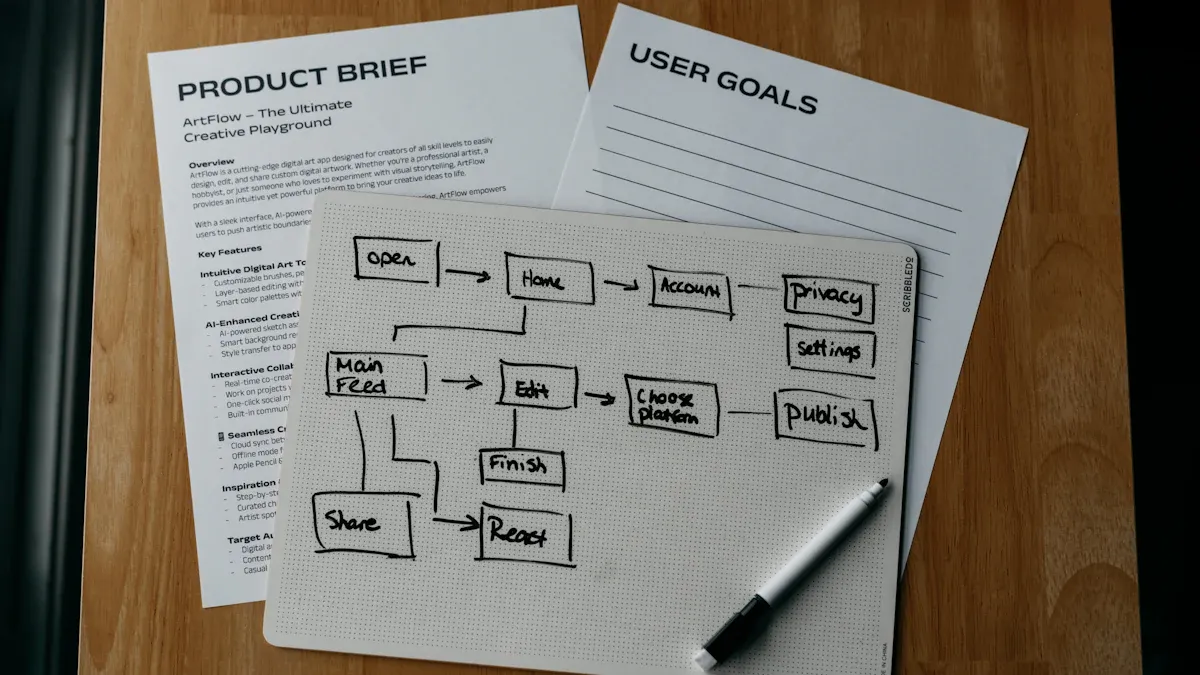
Small Business Case
Small businesses often face challenges with limited resources and time. Many have turned to Business Process Mapping to improve their operations. For example, companies like OpEx90 used process mapping to identify waste and streamline their workflows. By involving systems and teams in the mapping process, these businesses encouraged employee suggestions and fostered a culture of continuous improvement. Clients at systems and teams reported that clear process maps helped them make better decisions and deliver services more efficiently.
The table below highlights key outcomes from small business case studies:
Key Outcomes | Description |
|---|---|
Improved Performance and Productivity | Lean Six Sigma methods enhanced performance and productivity in small businesses. |
Streamlined Processes | Companies reduced waste and improved productivity by mapping and refining their processes. |
Cost Savings | Efficiency measures led to significant cost reductions. |
Enhanced Customer Satisfaction | Better service delivery increased customer satisfaction. |
Culture of Continuous Improvement | Employee training and suggestions built a culture focused on ongoing improvement. |
Data-Driven Decision Making | Technology and analytics supported smarter process optimization. |
Enterprise Case
Large enterprises often deal with complex and undefined processes. Many organizations have learned important lessons from implementing process mapping techniques:
Most business processes remain broken or too complex, making them hard to manage.
Well-designed processes make it easier for teams to perform well.
Cause and effect may appear in different parts of the process, so teams need a holistic view.
Strategy must align with process for effective execution.
Customer dissatisfaction often results from broken internal processes.
Organizational structure should match process structure for better efficiency.
Employees who do the work should help define and improve processes.
Improvement efforts need control elements to succeed.
Understanding current processes is essential before designing new ones.
Many organizations invest in assets but overlook the value of investing in business processes.
Clients at systems and teams have applied these lessons by involving cross-functional groups in mapping sessions. They aligned their strategies with process improvements and ensured that those closest to the work contributed ideas. This approach led to better performance and greater customer satisfaction.
Lessons Learned
Both small businesses and large enterprises benefit from process mapping, but their journeys reveal some best practices:
Involve all relevant systems and teams early in the mapping process.
Use clear, visual maps to help everyone understand the workflow.
Encourage feedback from employees who perform the tasks daily.
Align process improvements with business goals and customer needs.
Review and update process maps regularly to maintain efficiency.
Teams that follow these practices create a strong foundation for continuous improvement and long-term success.
Business process mapping helps organizations boost efficiency, improve teamwork, and reduce errors. Teams gain clarity by visualizing workflows and defining roles. Starting with a simple process leads to quick wins and builds confidence.
Take the first step today. Use the steps and tools shared in this guide. Reach out to us to learn more about business process mapping or discover how systems and teams can support your goals.
FAQ
What is Business Process Mapping?
Business Process Mapping shows how tasks move through a workflow. Teams use diagrams to see each step. This method helps people understand how work gets done and where improvements can happen.
Why do companies use Business Process Mapping?
Companies use Business Process Mapping to find problems and make work easier. Teams can see where delays happen. They use maps to train new staff and improve customer service.
Which tools help with Business Process Mapping?
Teams use software like Lucidchart, Camunda, and Miro. These tools help people draw diagrams, share ideas, and update workflows. Many companies choose tools that allow teamwork and easy changes.
How often should teams update process maps?
Teams should review process maps regularly. Many organizations check maps every few months. Updates help keep workflows accurate and show new ways to improve efficiency.
Who should be involved in Business Process Mapping?
People who do the work should help create process maps. Managers, team members, and process owners all give important input. Involving everyone leads to better results and fewer mistakes.
What are common mistakes in Business Process Mapping?
Teams sometimes add too much detail or forget to update maps. Some groups use confusing symbols. Others leave out key people. Avoiding these mistakes helps make process maps clear and useful.
Can Business Process Mapping help small businesses?
Small businesses benefit from Business Process Mapping. Teams find ways to save time and money. Clear maps help owners train staff and improve customer satisfaction.


